From Idea to Working Prototype With Claude: A Founder's Guide
Turn a startup idea into a working Claude prototype in about a week: the right Claude tool, a 7-step process, a sample prompt and when to bring in a designer.
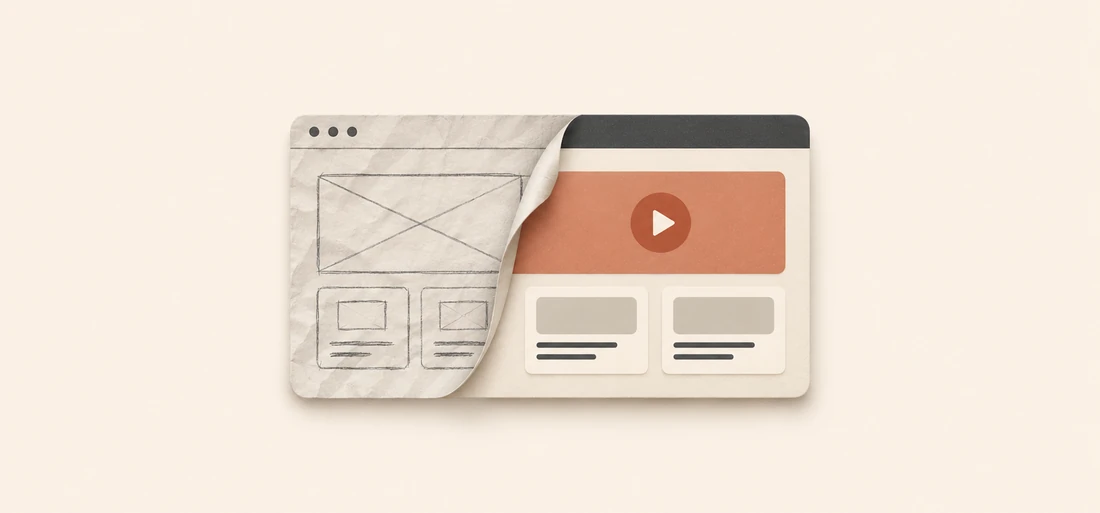
A few years ago, a founder with an idea had two options: pay a team for months to build something, or pitch with slides and a click-through mockup. In 2026 there is a third option. With Claude, a founder can put a working prototype in front of users and investors within days. People can click it, type into it and use it.
Quick answer: You can turn a startup idea into a working prototype with Claude in about a week. Write a one-page brief, map the single flow that proves your idea, build it with Claude Design or Claude artifacts, add real content and every state (empty, loading, error), give it your own brand, and test it with five real users. A Claude prototype is perfect for validating an idea and pitching investors. To become a real product, it still needs design polish, security and proper engineering.
The speed is real. Y Combinator partner Jared Friedman has said that for many current YC startups, around 95% of the code is written by AI. Datadog's team described going "from a rough idea to a working prototype before anyone leaves the room" with Claude Design.
But speed is not the hard part anymore. The hard part is building the right prototype: one that proves your idea, feels like your brand and gives you honest answers. At ZeeFrames we build Claude prototypes for founders every month. This guide is the process we use.
What is a working prototype?
A working prototype is a version of your product that behaves like the real thing for one core job. Buttons work, forms accept input, screens respond to what the user does, and the content looks real. Unlike a static mockup, people can actually use it.
It is not a finished product. It usually has no real user accounts, no secure database and no scaling. That is fine. Its job is to answer one question quickly: do people want this, and do they understand it?
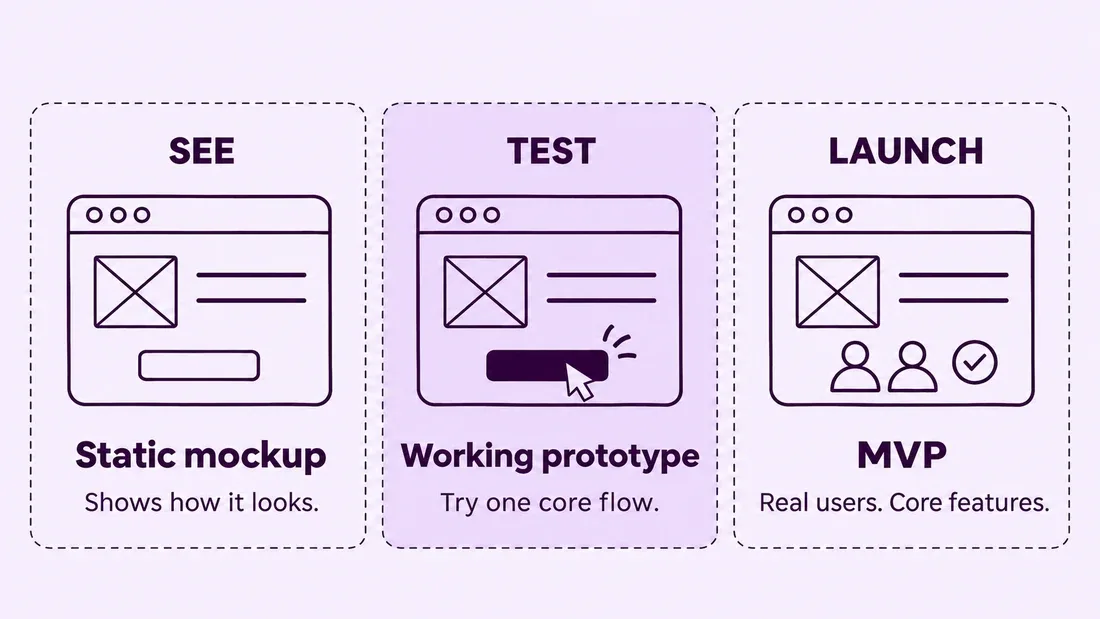
TABLE 1: STATIC MOCKUP VS WORKING PROTOTYPE VS MVP
Which Claude tool should you use?
Claude offers three main ways to build a prototype. Most founders start with the first or second and move to the third once the idea is validated.
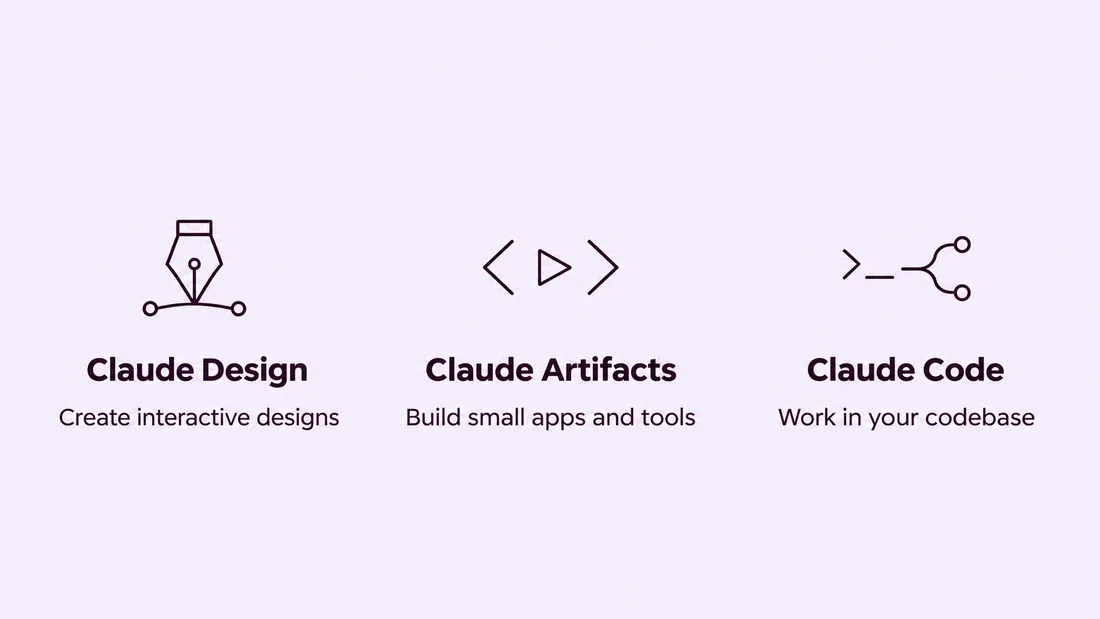
TABLE 2: WHICH CLAUDE TOOL FITS WHICH JOB
Anthropic launched Claude Design in April 2026 as a research preview for paid plans. It can build a design system from your existing files or codebase and package a finished design so Claude Code can pick it up. Artifacts are available on every Claude plan, including Free.
How to build a working prototype with Claude in 7 steps
Set the direction first, then let Claude build fast. Each step below takes a few hours to a day.
1. Write a one-page brief
Before you open Claude, write down five things: who the user is, the problem they have today, the one job your product does for them, what success looks like for them, and the one thing you need to learn from the prototype. If you cannot fit it on one page, the prototype will try to do too much.
2. Map the one flow that proves your idea
Pick the single path that shows your product's value, usually three to six screens. For a budgeting app, that might be: connect account, see spending summary, set one goal. Everything else (settings, profiles, admin) waits.
3. Build the first version
Give Claude your brief and your flow in one clear prompt. Ask for a working, clickable prototype of that flow only. Here is the kind of prompt we start with:
Expect the first version to be about 70% right. That is the point: you now have something to react to.
4. Make it feel real
This is where most AI prototypes fall short. Replace placeholder text with realistic content. Add the states real users hit: an empty screen before any data, a loading moment, an error when something fails, a success message. Users judge a product by these moments, and investors notice when they are missing.
5. Give it your brand, not the AI default
AI tools tend to produce the same clean, generic look, which makes every product feel interchangeable. Give Claude your colours, type, tone of voice and one or two signature details, or set up your design system in Claude Design so every screen uses it. We cover this in depth in why your AI-designed product looks like everyone else's.
6. Test it with five real users
Share the prototype link and watch five people from your target audience try to complete the core job. Do not explain anything; just watch where they hesitate. Five sessions usually show the biggest problems. Ask afterwards: what did you expect to happen here?
7. Decide what happens next
After testing you have three options: iterate the prototype and test again, use it to pitch investors or early customers, or move to an MVP. If you move forward, a design partner can turn the validated flow into a polished design and Claude Code or a development team can rebuild it on a production-ready foundation.
A realistic one-week timeline
A focused prototype fits into one working week, with the weekend kept for fixes and demo prep.
TABLE 3: ONE-WEEK PROTOTYPE PLAN
Common mistakes founders make
If any of these describe your prototype, fix them before you show it to investors.
- Building too much. A prototype with ten half-working features proves less than one flow that works perfectly.
- Skipping the states. Empty, loading and error screens are where trust is won or lost.
- Keeping the generic AI look. If it looks like every other AI-built app, users and investors will treat it that way.
- Treating the prototype as production. Prototypes usually lack proper security, accounts and data handling. Do not put real customer data into one.
- Not testing with real users. Feedback from friends and co-founders is not validation.
When to bring in a design partner
Claude makes the first 70% fast. The last 30% is what decides whether people trust your product: a clear flow, a distinct brand, every state handled, accessibility and a design system that can grow into a real product. That is where an experienced product designer saves weeks of trial and error.
Have an idea or a Claude-built prototype? ZeeFrames is a UI UX design partner for complex and AI-powered products. We build working Claude prototypes for founders, polish AI-built apps and take validated prototypes to production. Work with us or book a UX audit of your current prototype.
FAQ
Q1. Can Claude build a working prototype?
Yes. Claude Design creates interactive, clickable prototypes from a description, and Claude artifacts can build working single-page apps and tools you can share by link. For production code, Claude Code works directly in a codebase.
Q2. How long does it take to build a prototype with Claude?
A focused prototype of one core flow usually takes about a week, including user testing. A first clickable version can be ready in a day.
Q3. What is the difference between a prototype and an MVP with Claude?
A prototype proves the idea with sample data and one core flow. An MVP is a real product people can sign up for and use, with accounts, a secure database and proper engineering. Most founders should validate with a prototype before building an MVP.
Q4. Can I use a Claude prototype to pitch investors?
Yes, and it is often stronger than slides, because investors can use the product themselves. Make sure the core flow works without errors, uses realistic content and looks like your brand.
Q5. Is a Claude-built prototype ready for production?
Usually not as-is. Prototypes are built for speed and learning, not for security, scale or long-term maintenance. Once validated, rebuild it on a production-ready foundation with proper design and engineering.
Q6. Do I still need a designer if I use Claude?
Claude speeds up building, but it does not decide what to build or how your product should feel. A product designer helps define the right flow, the brand and the details that make users trust the product.
رؤى ذات صلة

قرارك العظيم القادم بشأن المنتج يبدأ بمحادثة واحدة.
إذا لم يكن منتجك في المستوى الذي تريده، فقد تكشف لك 30 دقيقة معنا السبب. وفي الغالب، نحن الفريق المناسب تمامًا لإصلاحه.
احجز مكالمة استكشافية مجانية