Generative UI 2026: Interfaces That Build Themselves Around Each User
Generative UI in 2026: how adaptive interfaces reduce cognitive load by changing layouts for beginner’s vs power users. Real framework for product teams.
In 2026, the most important shift in product design is not visual. It is structural. Interfaces are no longer fixed sets of screens shipped to every user. They are systems that generate the right layout, in the right depth, for the right user, in real time.
This is generative UI — and it is replacing static dashboards across SaaS, fintech, healthcare, and analytics products.
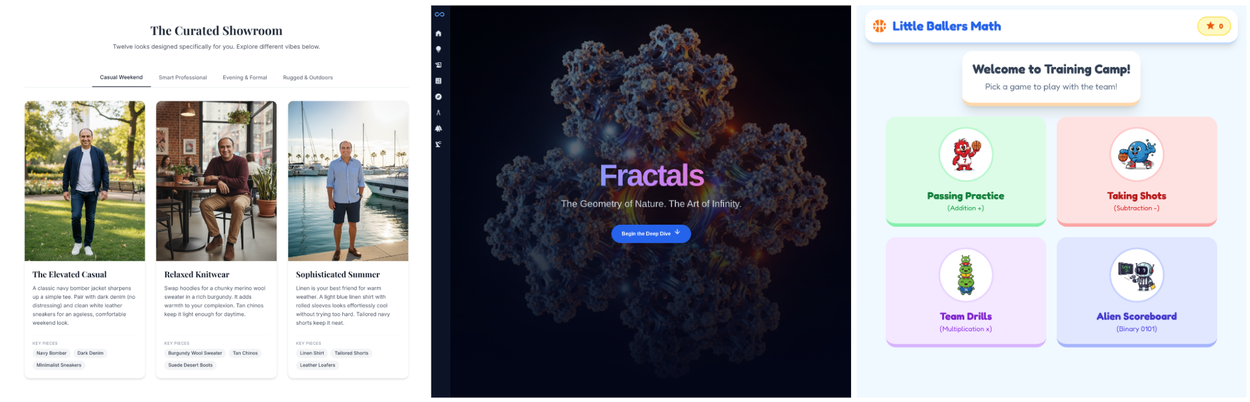
The reason is simple: a beginner and a power user need different things from the same product. A traditional UI gives both the same screen and hopes the beginner finds the tutorial. A generative UI gives each one the layout that fits where they actually are.
Market trajectory: Gartner predicts 30% of all new applications will use AI-driven adaptive interfaces by end of 2026 — up from under 5% just two years ago. McKinsey reports companies excelling at AI-driven personalization generate 40% more revenue than those that do not.
Stan.vision · McKinsey · Gartner, March 2026
Designer adoption: 32% of UX designers surveyed by Lyssna in December 2025 said real-time adaptive interfaces will have major impact in 2026. 36% are already actively building AI-powered personalization into their products.
Lyssna UX Designer Survey, Dec 2025
Real outcome: One fintech analytics product replaced six hand-designed report views with a single AI-driven adaptive view. Result: 27% drop in support tickets, no change to the underlying data or feature set.
Stan.vision case study, March 2026
User expectation: 71% of customers now expect personalized digital interactions. 76% report frustration when products fail to deliver them. Generic, one-size-fits-all UI is becoming a competitive disadvantage, not just a missed opportunity.
McKinsey · Ideapeel, 2026
What Generative UI Actually Means
Generative UI is not a personalized banner or a swapped greeting. Those are surface tweaks.
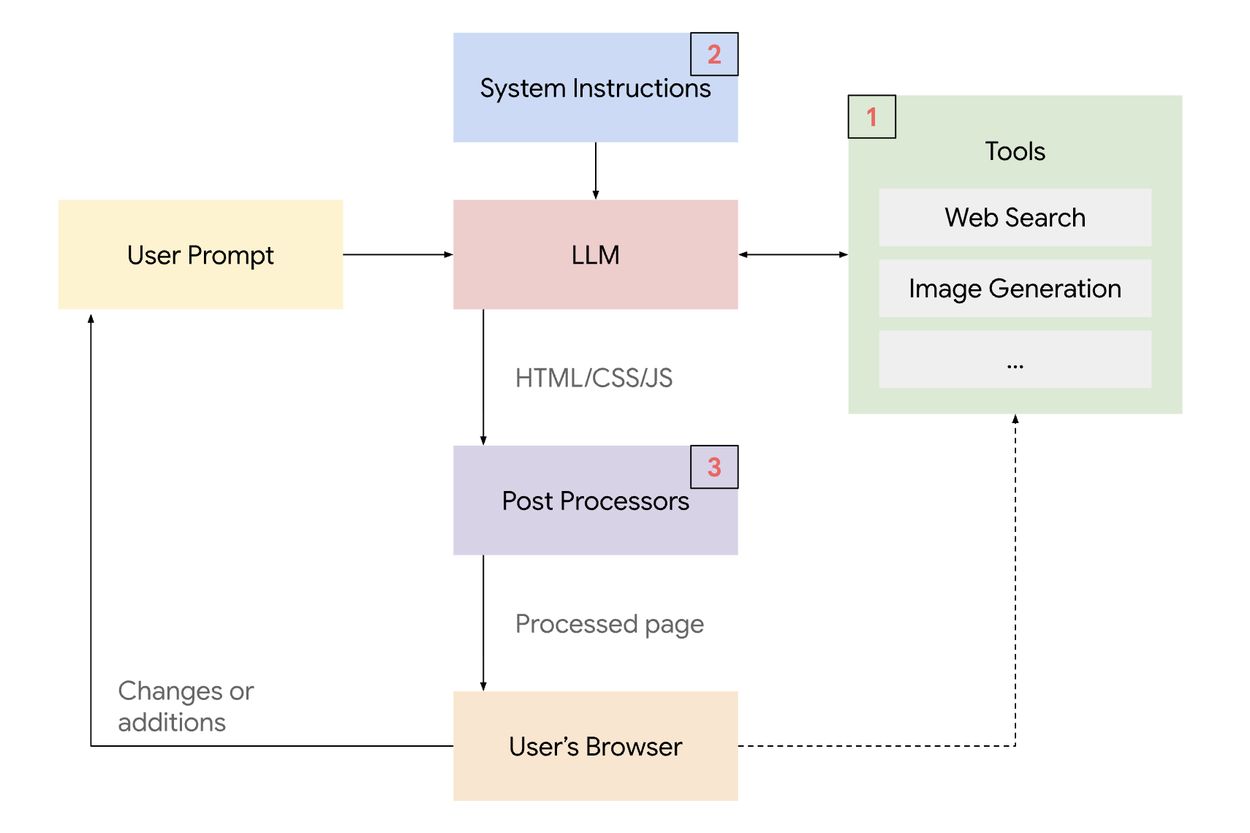
A high-level system overview of the generative UI implementation.
Generative UI means the layout itself, the content depth, and the interaction model are generated dynamically based on who the user is, what they are trying to do, and where they are in their journey — not pulled from a pre-designed screen.
Three signals typically drive the system: user role, behavioral patterns, and real-time context (time of day, device, recency, task).
Generative systems do not follow pre-built screens. They follow patterns, predictions, and signals. Designers are no longer designing screens. We are designing the rules the system uses to decide what to show.
— Joe Smiley, Designer, UX Collective · January 2026
How It Reduces Cognitive Load: Beginner vs Power User
Cognitive load is the mental effort required to use an interface. Every visible widget, button, and option adds to it.
Coca-Cola advertisement, 2025; example of low cognitive load
In a fixed UI, the beginner sees the same screen as the power user. The beginner spends mental energy filtering out what they do not yet need. The power user spends mental energy clicking through menus to access what they use every day.
Generative UI fixes both. Beginners see fewer widgets, larger CTAs, inline guidance. Power users see dense data, keyboard shortcuts, advanced filters by default. The system reads behavioral signals — click pace, feature use, error rate — and promotes users between layouts as their proficiency grows.
The shift in numbers
In the Stan.vision case, replacing six static dashboard views with one adaptive view dropped support tickets 27% — not because the data changed, but because the cognitive load on each individual user dropped to match their actual proficiency.
TABLE 1 — The Same Product, Two Layouts: Beginner vs Power User
Sources: Stan.vision case study · Joe Smiley UX Collective · Lyssna UX Designer Survey · Orizon · March 2026
Traditional UI vs Generative UI: What Changes for Product Teams
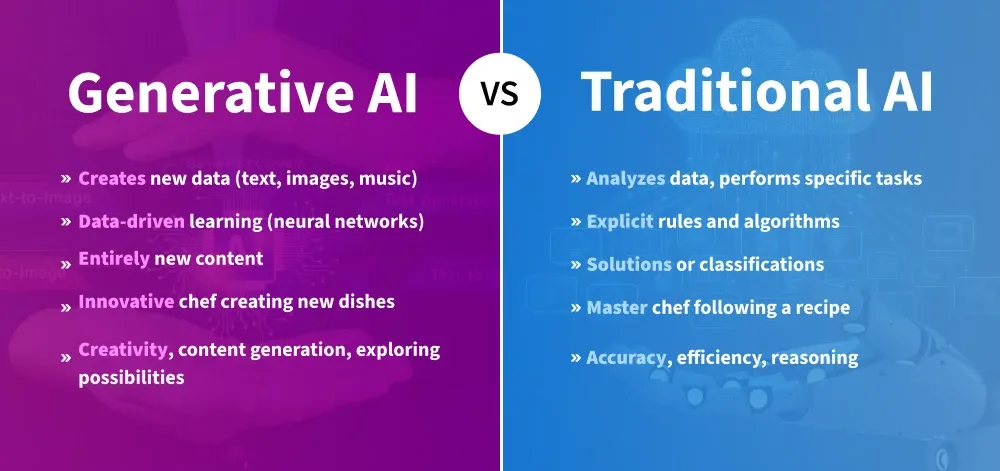
Generative UI on Google Cloud
Generative UI is not a replacement for design. It is a different design discipline. Designers stop shipping fixed screens. They start shipping rules, signals, evaluation criteria, and component libraries that the system uses to assemble layouts on demand.
Engineering teams stop maintaining many parallel views. They start maintaining one adaptive system.
TABLE 2 — What the System Reads, How the UI Responds
Sources: Stan.vision · UX Collective (Joe Smiley, Arin Bhowmick) · Lyssna 2025 designer survey · Midrocket UI design trends 2026
Real Products Already Using Generative UI
Netflix — personalized thumbnails
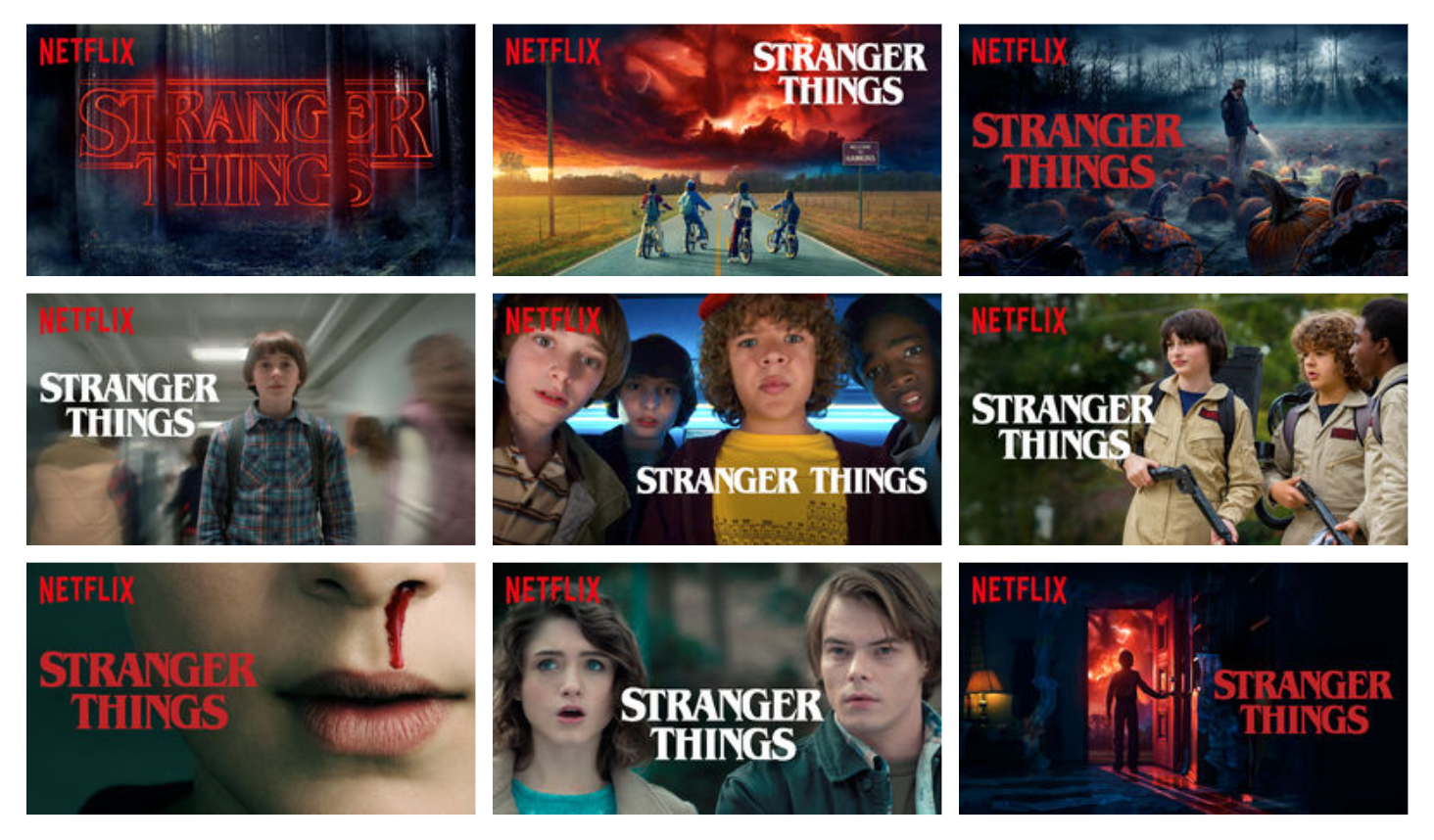
Artwork for Stranger Things that each receive over 5% of impressions from our personalization algorithm. Different images cover a breadth of themes in the show to go beyond what any single image portrays.
Netflix does not just recommend shows. It generates a different thumbnail per user for the same show, based on what visual elements predict that user is most likely to click. The recommendation engine and the visual layer adapt together.
Notion AI — adaptive dashboards
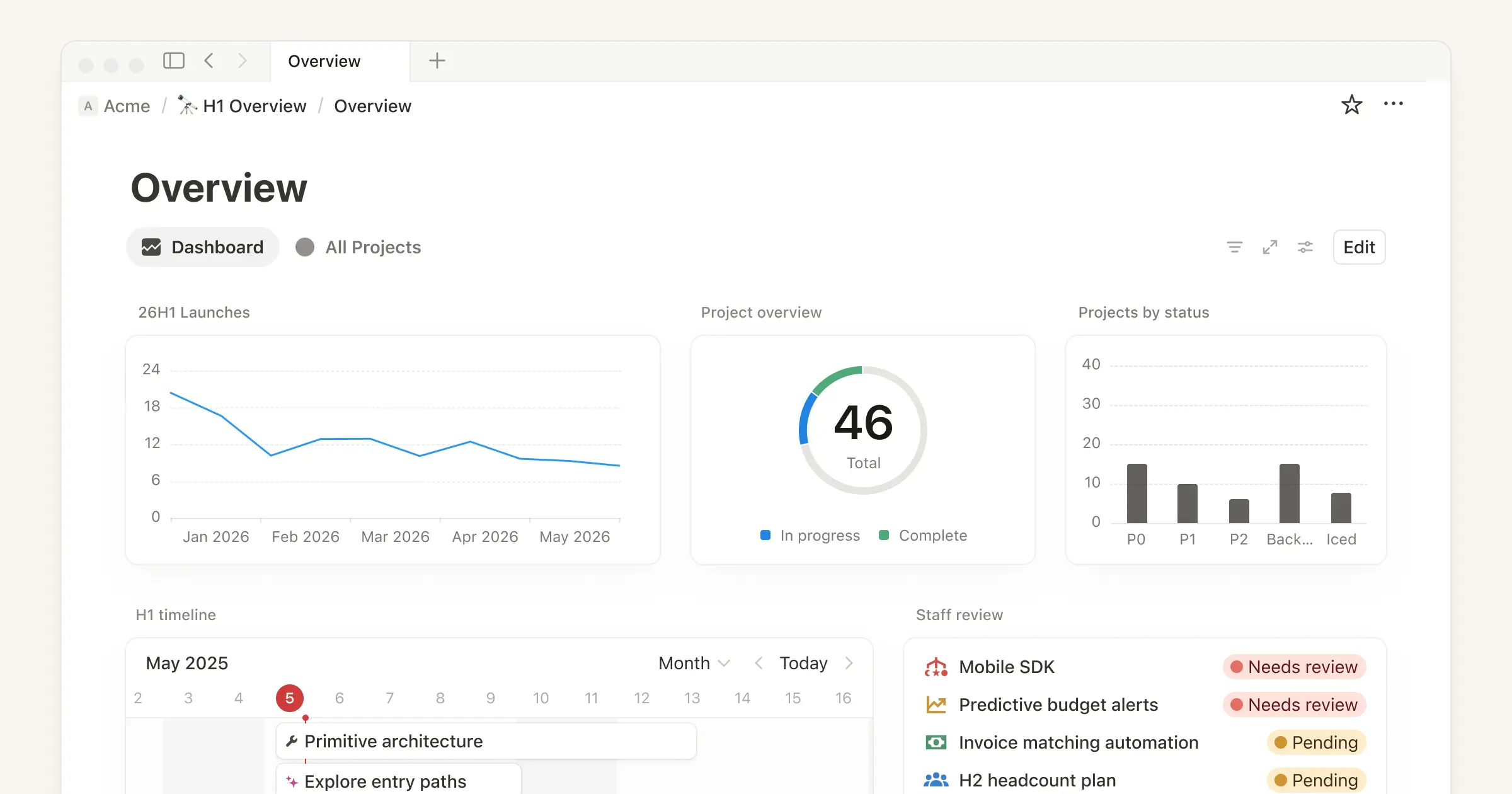
Notion Dashboards view
Notion’s AI surfaces relevant blocks, recently used pages, and suggested actions based on the user’s recent behaviour. The same workspace shows different sidebars, different shortcuts, and different prompts depending on usage patterns.
SaaS analytics — fintech case (27% support ticket drop)
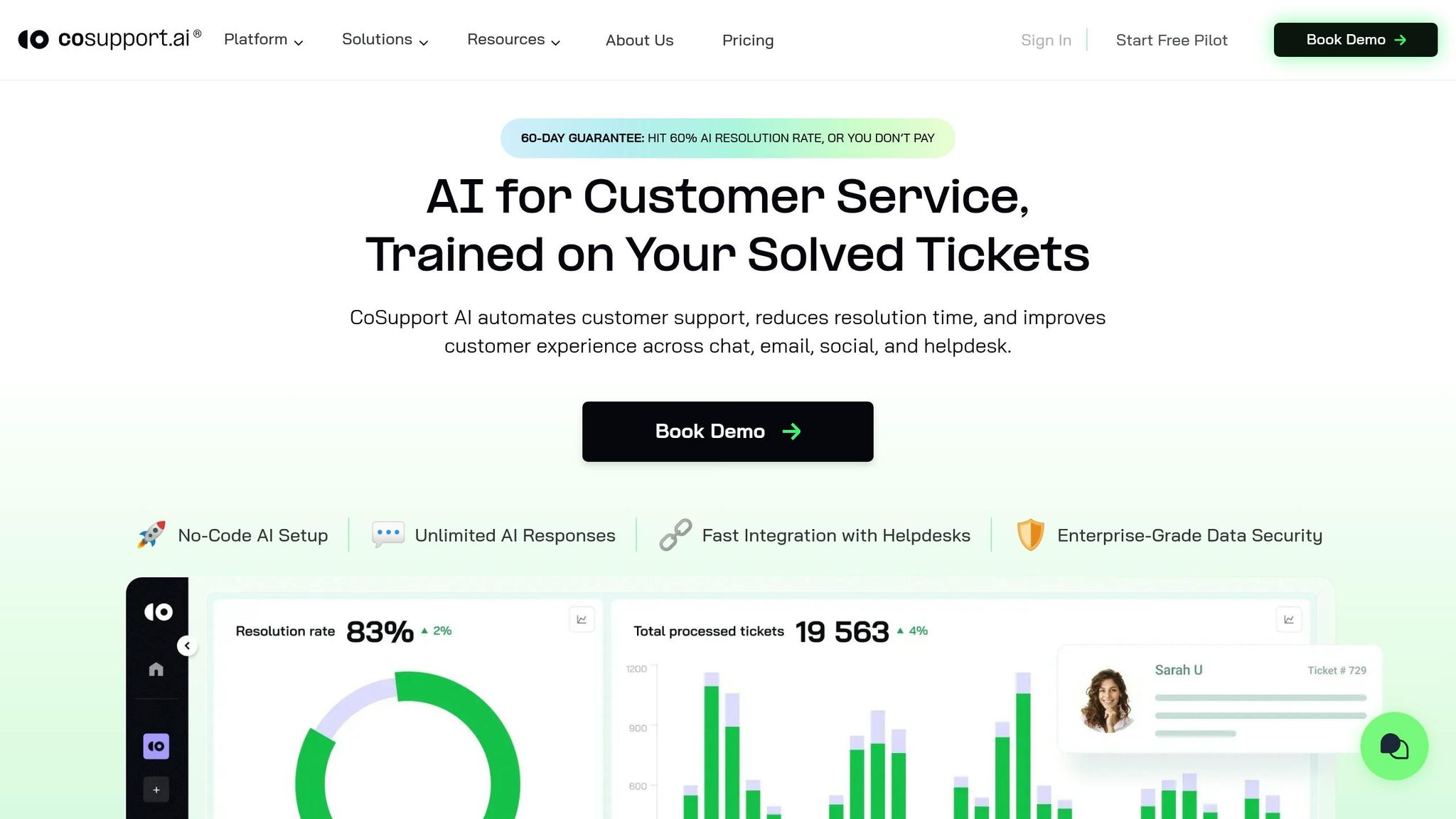
Customer support ticketing AI by Cosupport AI
Replacing six static report views with one AI-driven adaptive view eliminated the user friction of navigating the wrong view. The system now picks the right view per user, per session.
Apple iOS 26 Liquid Glass
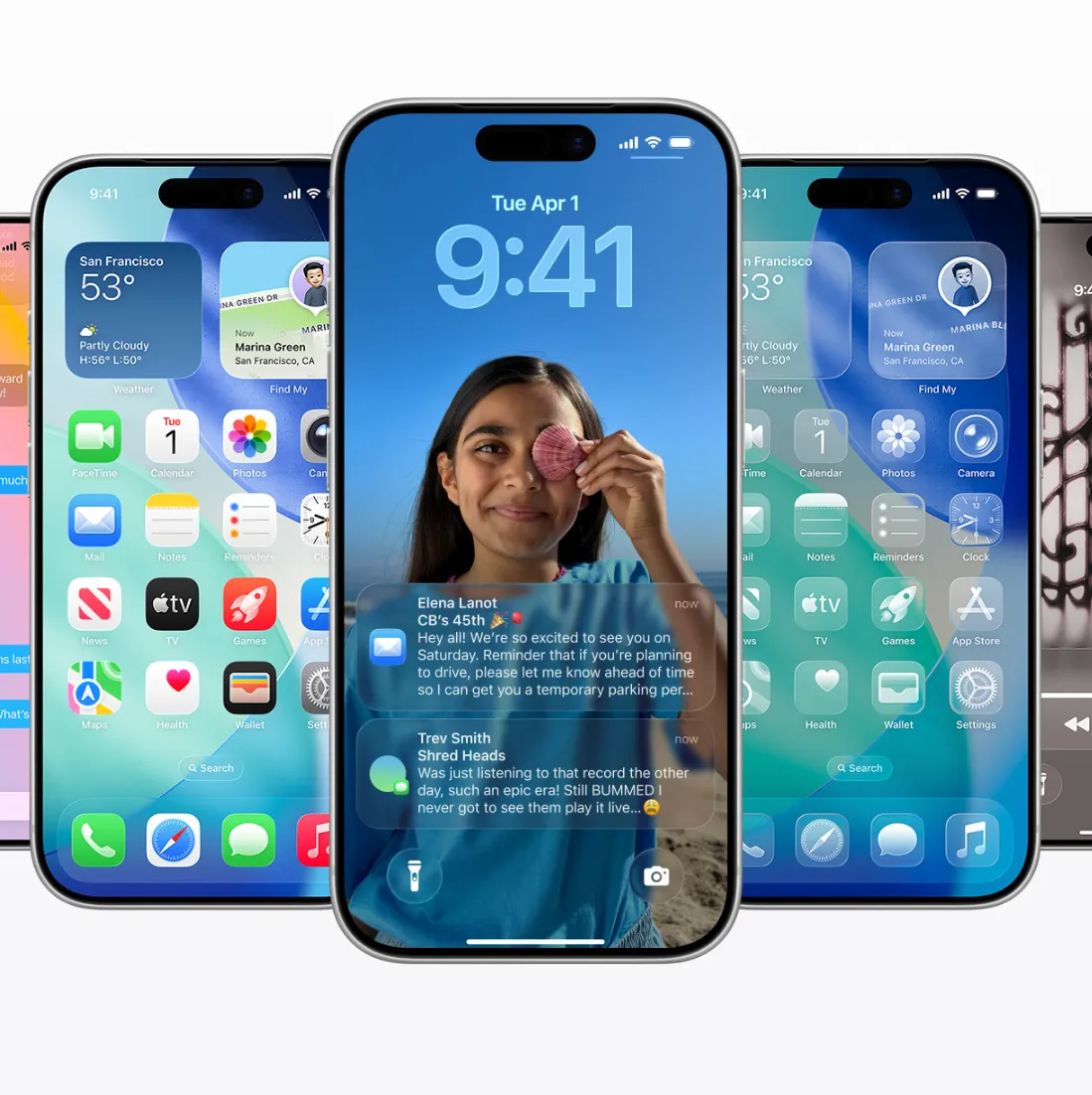
Apple's Liquid Glass
At WWDC 2025, Apple shipped Liquid Glass with iOS 26. The translucent layer adapts depth, light, and motion based on user context. It is generative UI applied at the OS level.
Tools Powering Generative UI in 2026
Generative UI requires three layers of tooling: design tools that produce adaptive components, AI engines that decide what to show, and frameworks that assemble UI at runtime.
Design and prototyping tools
- Figma Make: AI generates components, layouts, and full interfaces from natural language prompts. Teams using Figma Make ship 40–60% faster (Stan.vision, 2026).
- Galileo AI: Prompt-to-UI generation. Used for rapid prototyping of adaptive variants before development.
- Uizard: Generative UI prototyping for non-designers. Useful for stakeholder demos and adaptive flow testing.
Runtime UI generation
- Vercel v0: Natural language to React component. Engineering teams use it to build the component library that adaptive systems assemble at runtime.
- Builder.io: Visual headless CMS with AI-driven personalization. Layouts adapt based on audience segment without engineering intervention.
- Plasmic: Visual builder that ships adaptive components into production React, Vue, or Next.js apps.
AI orchestration and signals
- LangChain: Frameworks for building the AI logic layer that reads behaviour signals and decides what to render.
- OpenAI / Claude / Gemini APIs: The reasoning layer that interprets context and generates the right response in real time.
- Notion AI: Production-grade adaptive dashboard — the clearest consumer-scale example of generative UI shipped at scale.
Pros and Cons of Generative UI: An Honest Assessment
The pros
- Reduced cognitive load: Each user sees only what is relevant for their proficiency and current task. Beginners do not get overwhelmed; power users do not get held back.
- Lower long-term maintenance: One adaptive system replaces many static views. The fintech case study above eliminated six hand-designed views with a single rule-based system.
- Higher conversion and retention: McKinsey reports companies excelling at AI-driven personalization generate 40% more revenue than those that do not.
- Faster shipping at scale: After the rule layer is built, new variants ship in days, not weeks. Figma Make users report 40–60% faster delivery.
- Better fit for diverse users: Role-based, behaviour-based, and context-based variations are handled automatically rather than as bolted-on settings.
The cons
- Surveillance concerns: Adaptation requires behavioral tracking. Users accept this for Netflix; they reject it when retail sites do the same. Transparency and visible privacy controls are non-negotiable.
- AI output quality risk: Lyssna’s December 2025 designer survey flagged ‘vibe-coded’ generative UIs shipped without validation as the most damaging trend in product design.
- Design consistency erosion: If every user sees a different interface, brand consistency suffers. Fix: a semantic design system that constrains AI generation within brand rules.
- Higher upfront investment: Building the rule layer, signal infrastructure, and component system costs more than designing static screens. Payoff is at scale, not at MVP.
- Debugging complexity: When a user reports a problem, the engineer cannot reproduce the exact UI that user saw. Logging and replay infrastructure becomes mandatory.
- Accessibility and compliance: Adaptive layouts must still meet WCAG, ADA, and regulatory requirements. This adds an evaluation layer most teams underestimate.
In generative UI, you are not designing what users see. You are designing the understanding the system uses to decide what to show.
Practical Use Cases: Where Generative UI Wins Today
SaaS dashboards with diverse user roles
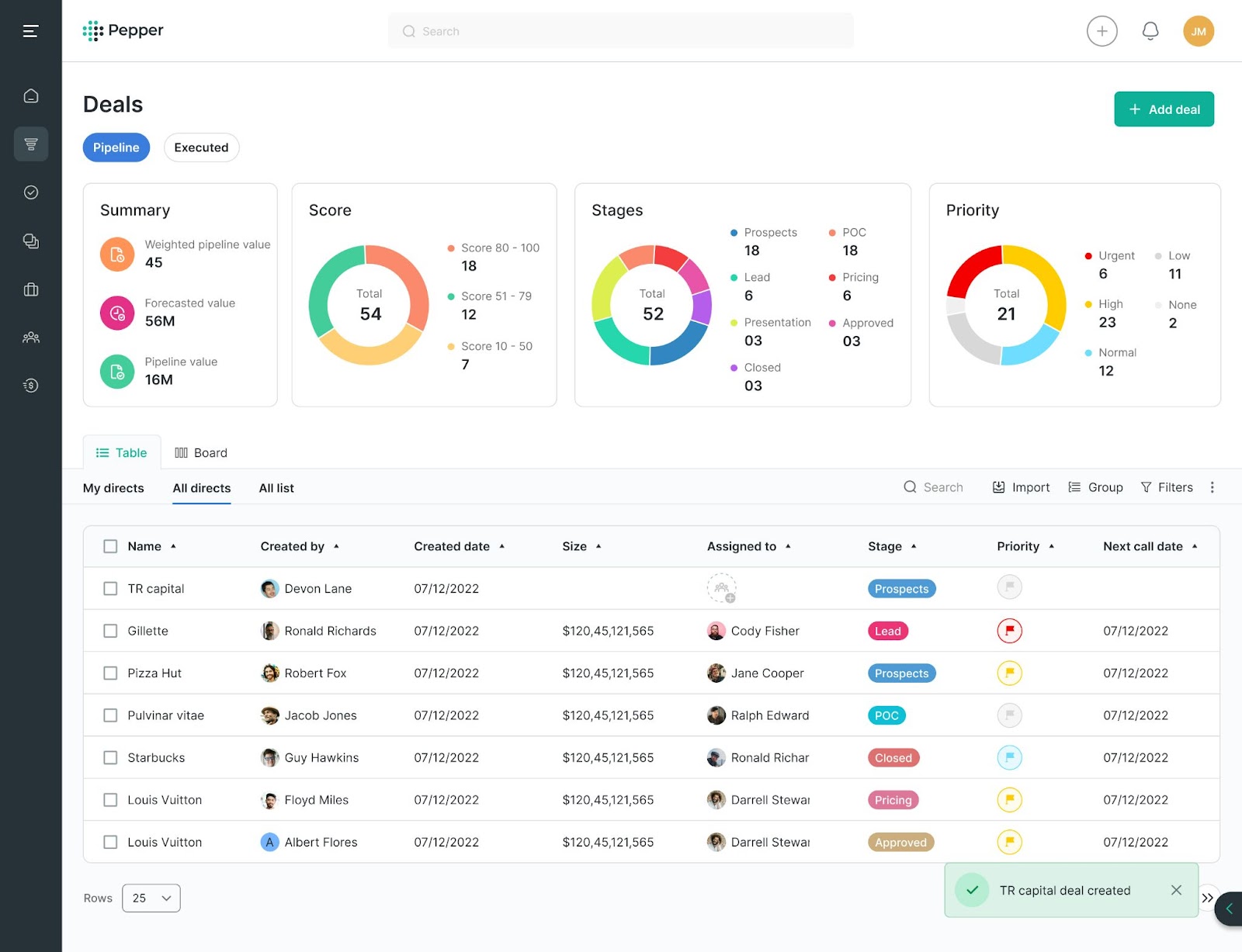
SaaS Dashboard UI/UX Strategies for KPI-Driven Engagement
Analytics, CRM, and project management products serve users with vastly different proficiency and goals. Generative UI gives the marketer a funnel summary, the analyst a SQL editor, and the executive a single KPI card — from the same underlying data.
Onboarding and activation flows
First-session experiences benefit most. Show three steps to a complete beginner; show one step plus a shortcut palette to someone who has used a similar product before. The fintech case in this article reduced support tickets 27% by adapting the activation flow per user.
E-commerce and product discovery
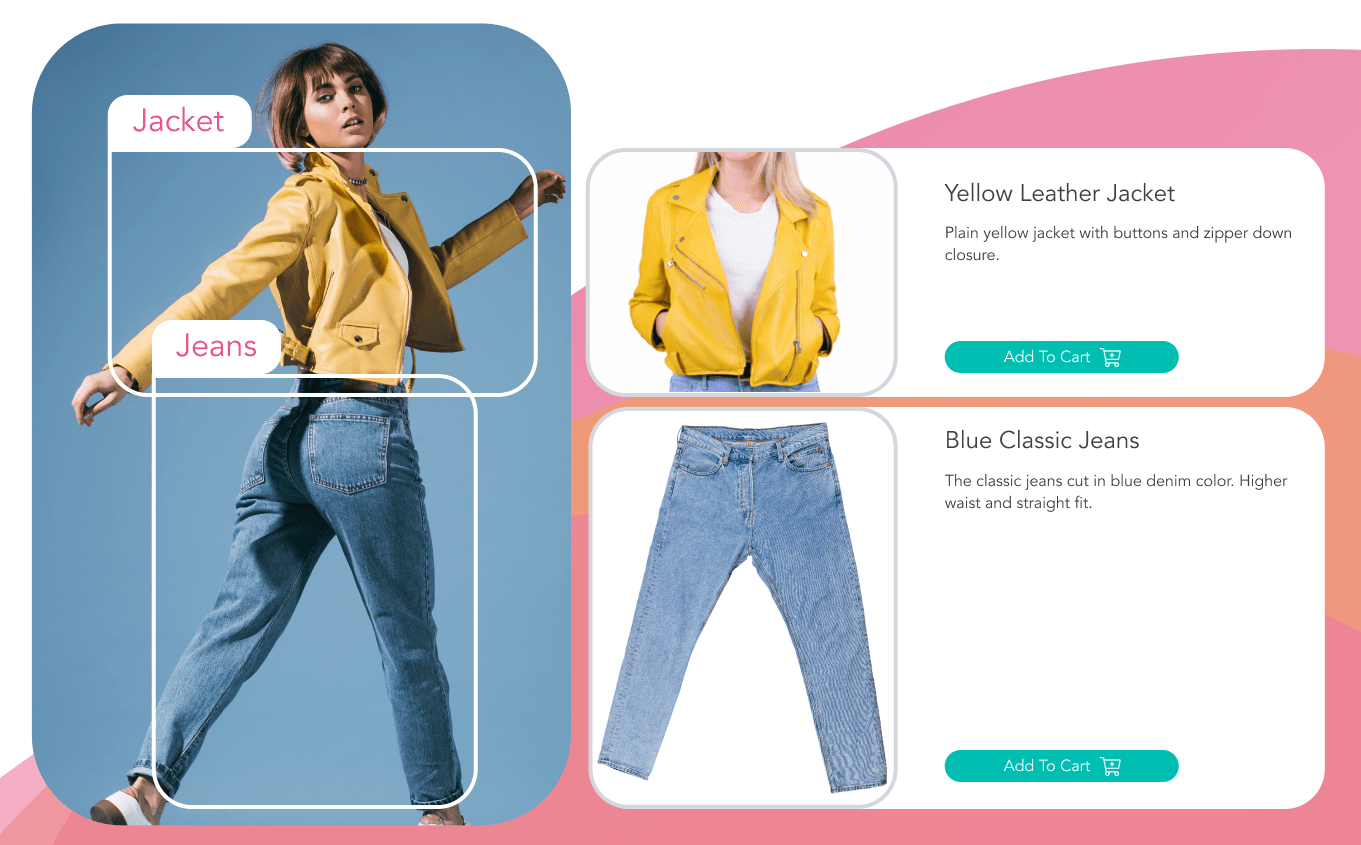
Product Discovery: A Practical Guide for Ecommerce | Pixyle.ai
Netflix already runs generative UI on thumbnails. The same principle applies to product cards, category pages, and checkout flows. Layout, copy, and offers adapt to the visitor’s observed preferences in real time.
Healthcare and clinical platforms
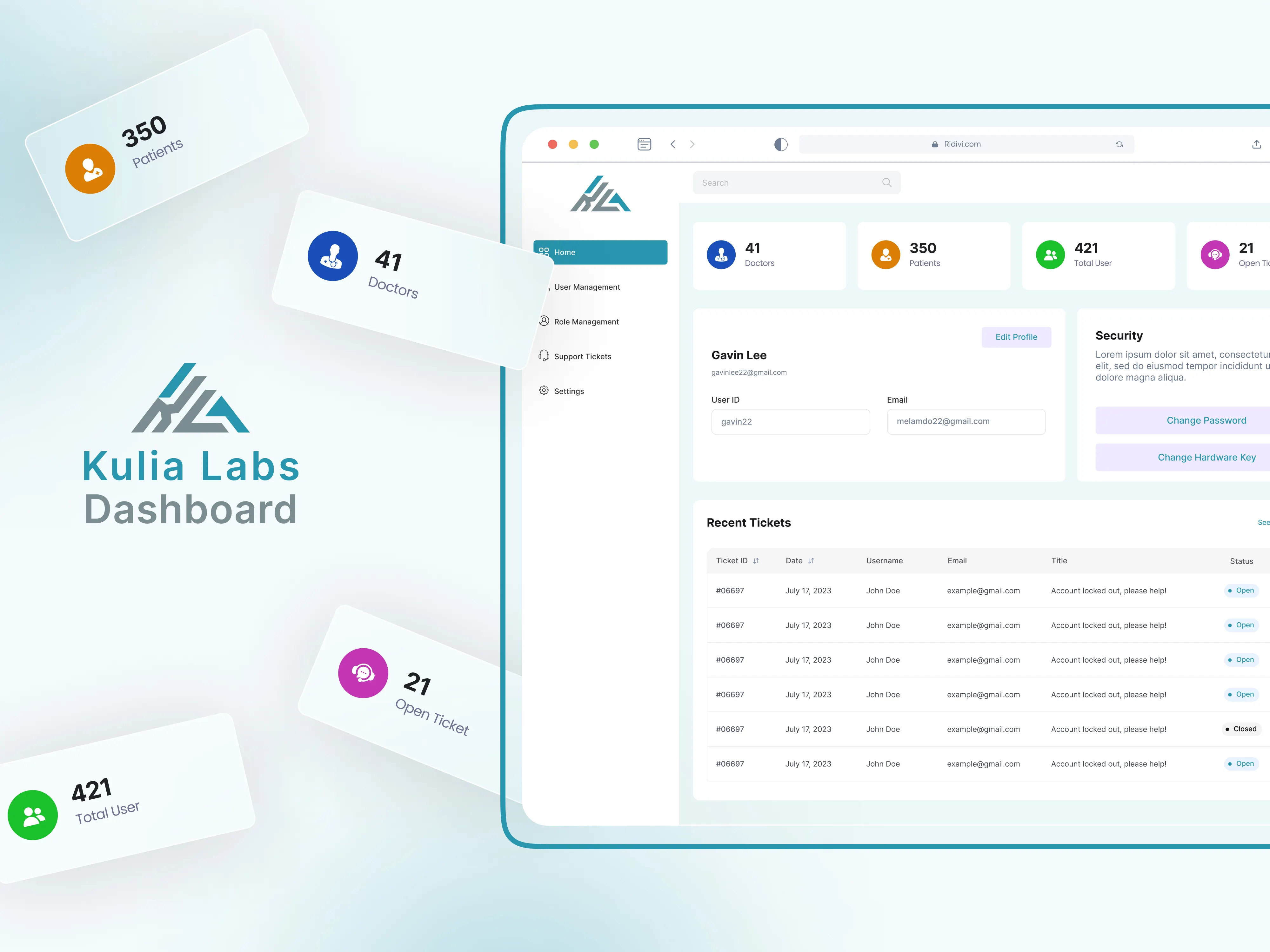
Medical Dashboard UX UI Design by ZeeFrames on Dribbble
A clinician using an EHR daily needs different defaults than an administrator using it weekly. Adaptive UI surfaces the clinician’s recent patients and orders by default, while showing the administrator audit logs and reporting first.
Enterprise admin tools and IT operations
Engineers running a deployment dashboard need terminal-like density. Their managers viewing the same system need executive summaries. Generative UI delivers both from one product, reducing tool sprawl across teams.
Education and learning platforms

Learning Platforms by ZAPTA Technologies | Dribbble
Adaptive UI is a natural fit for learning. Beginners see scaffolded lessons with progress markers; advanced students see a knowledge graph and free-form exploration. The platform grows with the learner without manual configuration.
Future Trends: Where Generative UI Goes Next
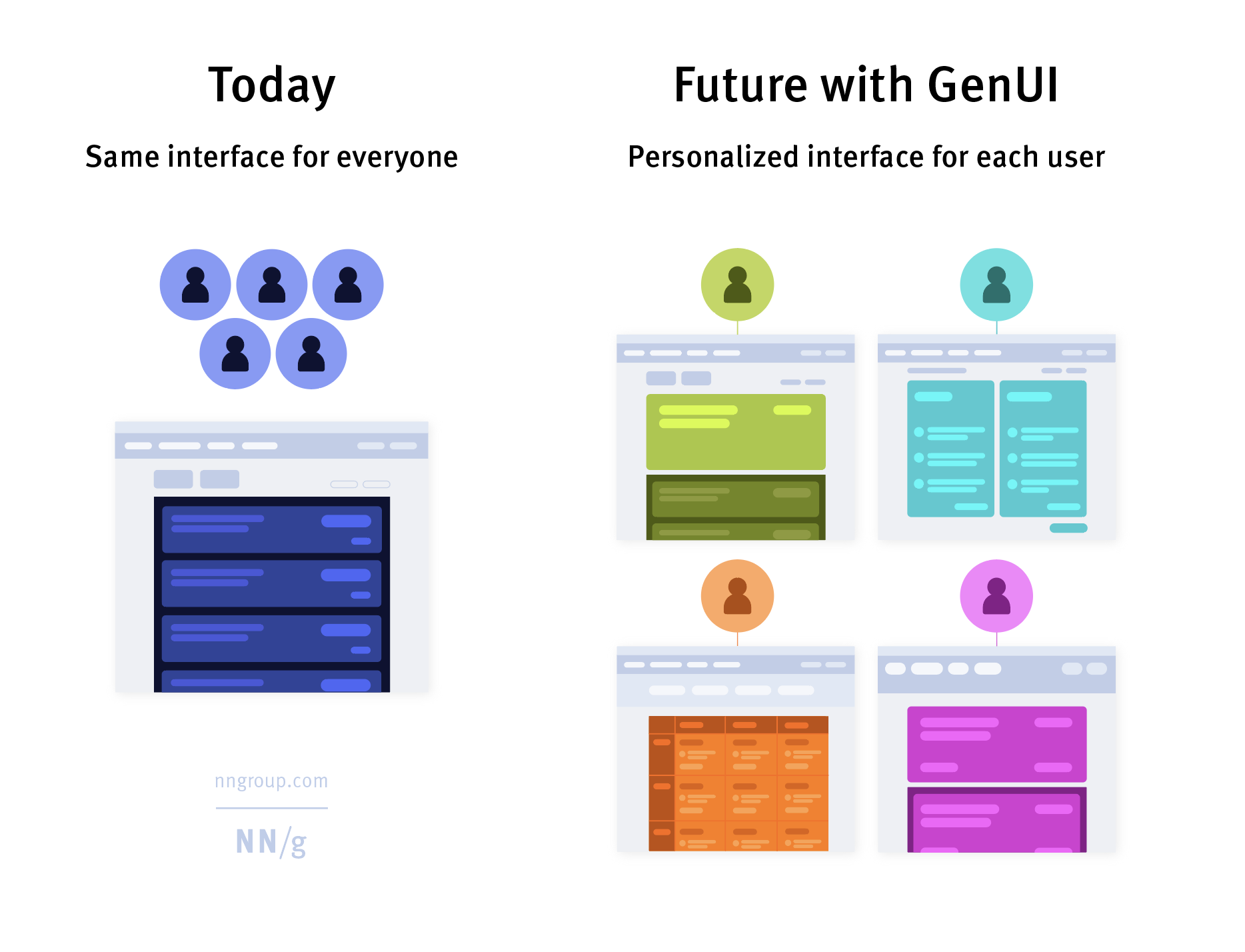
GenUI offers the potential to shift from single-experience design to personalized experiences for each individua
Cross-session memory
Today’s adaptive UIs reset assumptions per session. By 2027, layouts will remember context across visits, devices, and even products in the same ecosystem — with explicit user consent.
Multimodal signals as standard
Click pace and feature use are the first generation of signals. The next generation reads voice tone, gesture, attention patterns, and emotional state — turning the UI into a true co-pilot rather than a static screen.
Semantic design systems become the norm
Figma is already publishing guidance on semantic design systems. The trend: components will carry meaning, not just visual specs, so AI can assemble them responsibly. Brand consistency will be enforced through structured rules, not static templates.
Privacy as a competitive feature
In 2026, personalization without surveillance becomes a differentiator. Products that adapt based on declared preferences and on-device signals — not third-party tracking — will win user trust as a primary acquisition advantage.
Generative UI replaces traditional design handoff
Stan.vision predicts traditional Figma-to-developer handoffs will be largely replaced within two years. Designers will ship rules, signals, and component logic. Engineers will integrate the adaptive system. Pixel-perfect mockups will become the exception.
Market trajectory
Gartner forecasts that more than 50% of new SaaS products will ship with generative UI as the default by 2027. The teams that learn the discipline now will hold a meaningful product advantage as the baseline shifts.
Frequently Asked Questions
Q1: What is generative UI in simple terms?
Generative UI is an interface where the layout, content depth, and interactions are produced dynamically by AI based on the user, their behaviour, and their context — instead of being pre-designed and shown identically to every user.
Q2: How is generative UI different from personalization?
Personalization usually means surface tweaks — changing a greeting, recommending a product, swapping a banner. Generative UI restructures the actual layout, the order of widgets, and the depth of features shown. It is structural, not cosmetic.
Q3: How does generative UI reduce cognitive load?
By showing each user only what is relevant for their proficiency and current task. Beginners see fewer widgets and larger CTAs. Power users see dense data and shortcuts. Both spend less mental effort filtering or hunting because the system has already filtered for them.
Q4: Should every product use generative UI?
No. Compliance-critical, low-volume, or simple linear flows are better served by predictable static UI. Generative UI is most valuable in complex SaaS, dashboards, role-based products, and consumer apps with diverse user proficiency — where the cost of one-size-fits-all is highest.
Q5: What does ZeeFrames recommend for product teams?
Start with two clearly defined user states (beginner and power user) and two adaptive signals (role and behavioral pattern). Build the adaptive logic on top of an existing design system. Test against a static control. Expand only after measurable wins. Generative UI is a discipline, not a feature — and it rewards teams that adopt it incrementally.
Related Insights


Your next great product decision starts with one conversation.
If your product isn't where you want it to be, 30 minutes with us might tell you why.And more often than not, we're exactly the team to fix it.
Book a Free Discovery Call