WordPress vs Webflow 2026: The Startup Founder's Decision Guide
WordPress vs Webflow in 2026 for startup founders and businesses. 10 key differences, library ecosystems, security incidents, cost analysis, and risk map.
WordPress vs Webflow is the most common platform decision for businesses building a website in 2026. Both are mature, both are excellent, both win in different categories.
WordPress, released in May 2003 by Matt Mullenweg and Mike Little, now powers 43.5 percent of all websites globally and holds 61.3 percent market share among sites using a known CMS (W3Techs March 2026). Open source, infinitely customizable, backed by an ecosystem of 60,000 plus plugins. Webflow, founded in 2013 by Vlad Magdalin, Sergie Magdalin, and Bryant Chou in San Francisco, was last valued at 4 billion dollars and now powers around 493,000 active sites (54 percent year over year growth in 2025). Pixel perfect visual design, built in hosting, mature CMS. Used by Dropbox, Discord, Vice, Lattice, and IDEO.
This guide breaks down the 10 differences that actually matter for founders and business owners choosing between them in 2026. Verified data from W3Techs, Webflow itself, independent agency reviews, and real migration projects. By the end you will have a clear answer for your business.
KEY NUMBERS, WORDPRESS VS WEBFLOW IN 2026
Market position: WordPress powers 43.5 percent of all websites globally as of March 2026, with 61.3 percent market share among sites using a known CMS. WooCommerce alone powers 28 percent of all online stores. Webflow powers approximately 493,000 active sites globally, up 54 percent from 320,617 in early 2024. Different scales, different positioning. W3Techs March 2026, Webflow growth reports, WooCommerce statistics
Pricing: WordPress is open source and free, with hosting from 5 dollars per month (shared) to 50 dollars per month (managed). Premium plugins and themes add ongoing cost. Webflow Basic plan starts at 14 dollars per month (annual), CMS at 23 dollars per month, Business at 39 dollars per month. Webflow Ecommerce ranges from 29 to 235 dollars per month based on transaction volume. WordPress hosting averages, Webflow.com/pricing May 2026
Performance and scale: Webflow CMS scaled to support up to 1 million items per project as of January 2026 (Business plan limits at 10,000 items). Webflow hosting runs on AWS CloudFront with 275+ global edge locations. WordPress performance varies enormously by hosting choice, from slow shared hosting to elite Kinsta and WP Engine setups achieving 90 to 100 PageSpeed scores. Webflow January 2026 CMS update, WordPress hosting benchmarks
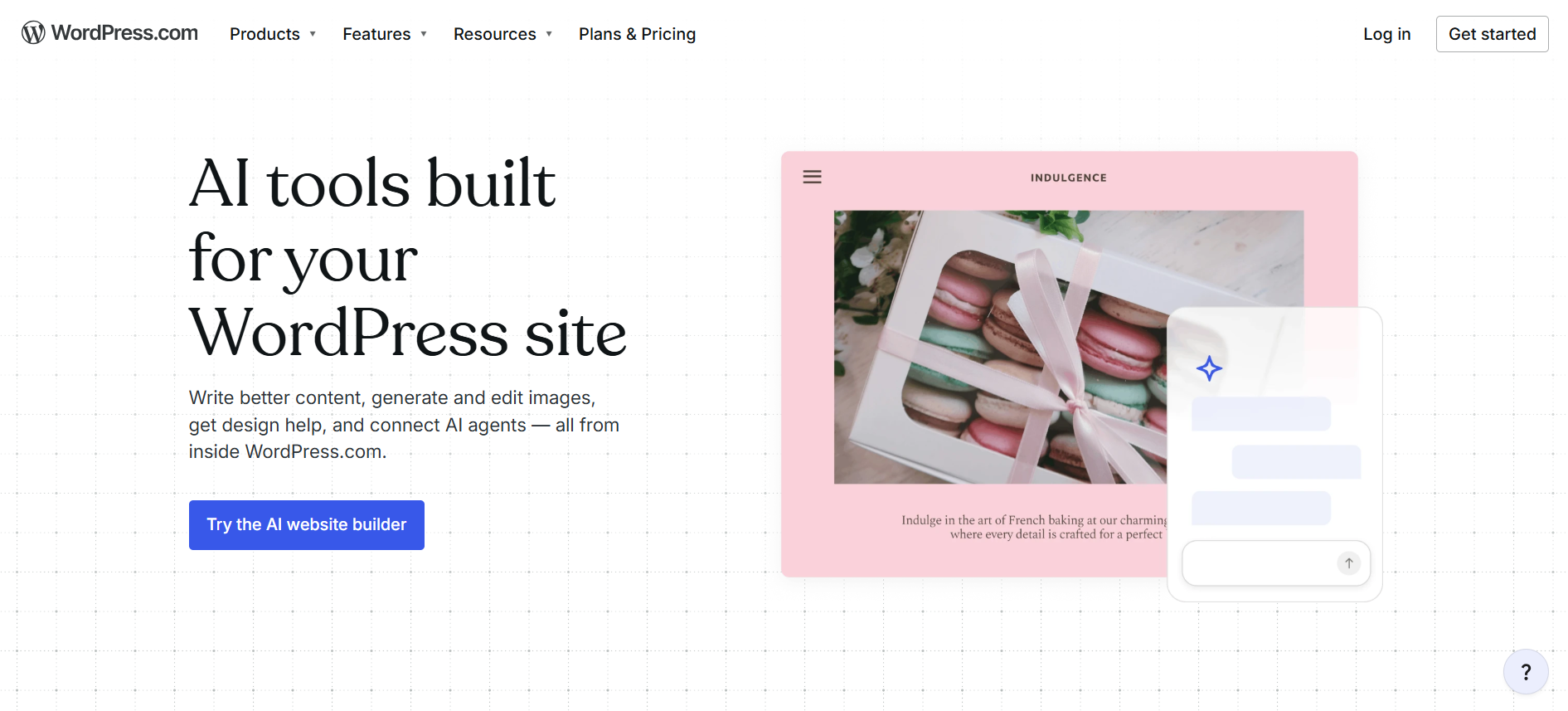
AI features (2026 landscape): WordPress AI is layered via plugins (10Web, AI Engine, Yoast AI, ChatGPT integrations). Webflow shipped its official Claude AI connector and MCP Server in February 2026, enabling AI powered site management, bulk CMS updates, and automated SEO audits. Webflow is moving faster on AI integration in 2026. Webflow February 2026 product release, WordPress plugin directory
WordPress vs Webflow, Who Built Them and What They Are
WordPress, Built by Matt Mullenweg and Mike Little (2003)

Released on May 27, 2003 as a fork of b2/cafelog, WordPress has evolved from a blogging tool into the dominant content management system on the planet. Open source under the GPL license, with commercial backing from Automatic (founded by Matt Mullenweg in 2005). The ecosystem includes 60,000+ free plugins on WordPress.org, 30,000+ themes, premium extensions, hosting providers, and a global community of millions of developers, agencies, and freelancers. Used by The White House, Sony Music, BBC America, TED Talks, TechCrunch, Spotify Newsroom, and roughly 43.5 percent of all websites worldwide. The original PHP based platform now includes Gutenberg block editor (introduced 2018), Full Site Editing (2022), and a growing AI integration story via plugins.
Webflow, Built by Vlad Magdalin, Sergie Magdalin, and Bryant Chou (2013)
Founded in 2013 by brothers Vlad and Sergie Magdalin plus Bryant Chou in San Francisco. Visual website builder that exports clean semantic HTML, CSS, and JavaScript, designed for designers who want pixel perfect control without writing code. Evolved into a Digital Experience Platform (DXP) with CMS, Webflow Ecommerce, Memberstack integrations, and Webflow AI for design assistance. Last valued at 4 billion dollars in Series C 2022. Used by Dropbox, Discord, Vice, IDEO, Lattice, Petal, Sisu Clinic, and thousands of design forward agencies globally. February 2026 launch of the official Claude AI connector and MCP Server marks a significant move into AI native site management.
10 Key Differences Between WordPress and Webflow (Tested in 2026)
The following 10 differences are the ones that actually determine which platform fits a given business. Each comparison uses verified 2026 data and a clear winner for that dimension.
1. Market Share and Maturity
WordPress: Powers 43.5 percent of all websites, 61.3 percent of CMS market (W3Techs March 2026). 23 years of continuous development. Largest CMS ecosystem in history. Backed by Automatic and a global open source community.
Webflow: Powers around 493,000 active sites. Strong 54 percent YoY growth but a fraction of WordPress scale. 13 years of platform maturity. Last valued at 4 billion dollars in Series C 2022.
WINNER: WORDPRESS
2. Design Quality and Visual Control
WordPress: Theme based design. Customization requires PHP and CSS knowledge for pixel level control. Page builders (Elementor, Divi) close the gap but add complexity. Less precise than Webflow Designer.
Webflow: Pixel perfect visual canvas. Designers match Figma comps exactly. Industry leading visual control. Webflow Designer is the standard agencies and designers compare other tools against.
WINNER: WEBFLOW
3. Content Management
WordPress: Industry leading CMS. Gutenberg editor, scheduled posts, revisions, custom post types, taxonomies, multi author workflows, custom fields. Used by news sites and magazines globally.
Webflow: Mature CMS with collections, multi reference fields, dynamic templates. Up to 1 million items per project as of January 2026. Business plan caps at 10,000 items. Strong but with hard limits.
WINNER: WORDPRESS
4. SEO Capability
WordPress: Industry standard SEO depth via plugins. Yoast SEO (5M+ installs), Rank Math, SEOPress. 20+ schema types supported. Most flexible technical SEO platform available.
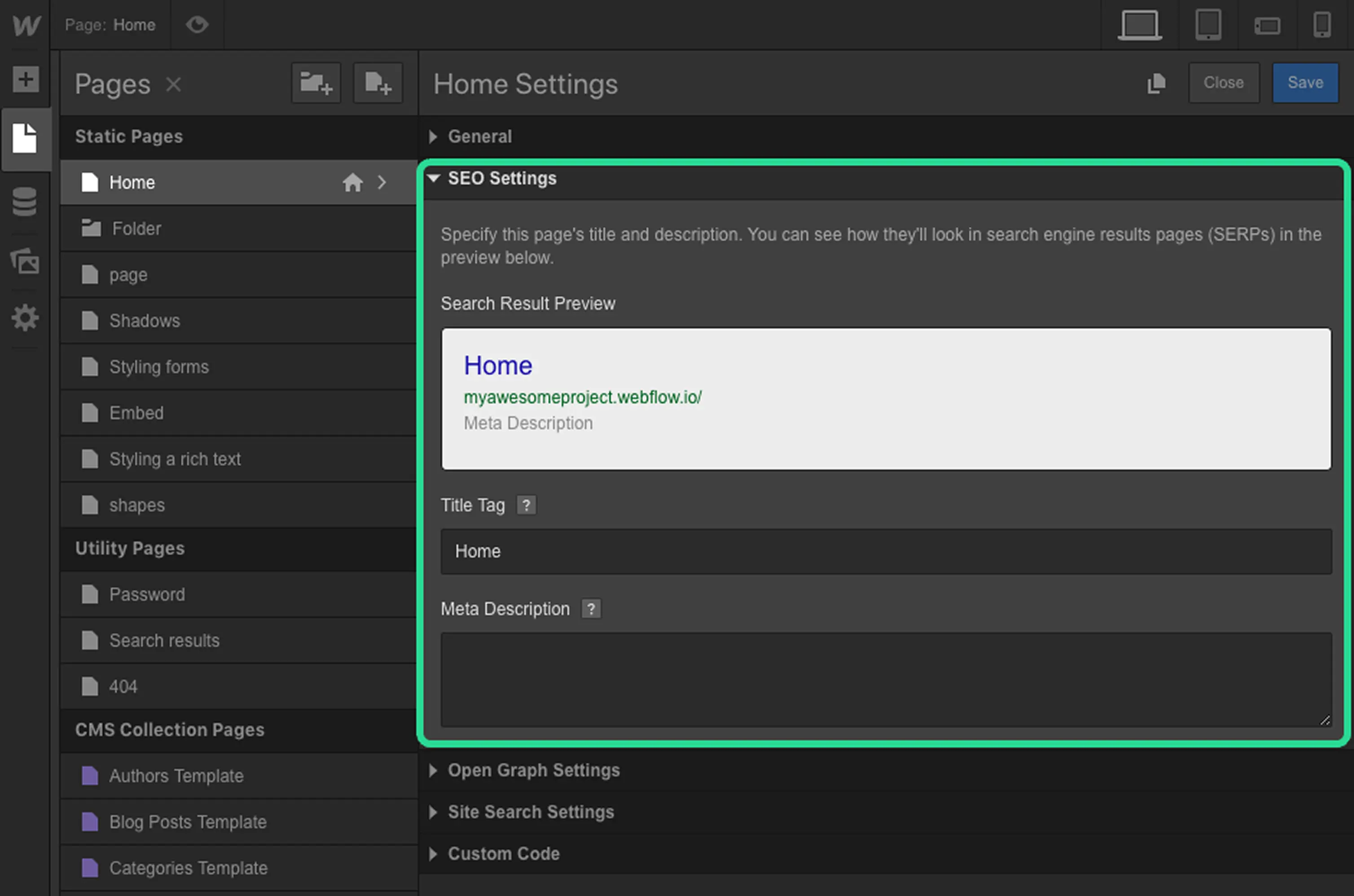
Webflow: Built in SEO tools cover 80 percent of needs. Custom meta tags, schema markup, sitemaps, OG tags, alt text fields, 301 redirects, clean semantic HTML. Less depth than WordPress but designer friendly.
WINNER: WORDPRESS
5. Hosting and Performance
WordPress: Performance varies enormously by hosting choice. Slow shared hosting kills page speed. Premium managed hosting (Kinsta, WP Engine) delivers excellent performance but adds cost. Requires hosting decision.
Webflow: Built in hosting via AWS CloudFront with 275+ edge locations. SSL, CDN, security updates all included. No separate hosting decision. Consistent performance out of the box.
WINNER: WEBFLOW
6. eCommerce Capability
WordPress: WooCommerce powers 28 percent of all online stores globally. Mature payments (Stripe, PayPal, Square), inventory, shipping, tax, subscriptions. The dominant eCommerce platform on the web.
Webflow: Webflow Ecommerce native. Stripe and PayPal supported. Solid for small to medium stores. Less mature than WooCommerce for complex inventory, subscriptions, multi currency, and high transaction volumes.
WINNER: WORDPRESS
7. Maintenance and Updates
WordPress: Self managed. Requires regular plugin updates, security patches, backups, compatibility checks. Plugin conflicts during major WordPress updates are real risks. Mature managed hosting reduces but does not eliminate this.
Webflow: Platform managed. Automatic security updates, SSL renewal, infrastructure patches. Less developer time required for ongoing maintenance. Lower operational overhead for marketing teams.
WINNER: WEBFLOW
8. Marketing Team Independence
WordPress: Marketing teams often need developer help for layout changes, new templates, plugin updates. Power user friendly but creates dependency. Block editor improving this but limits remain.
Webflow: Visual canvas empowers marketing teams to ship updates without developer dependency. Layout changes, new sections, content updates all happen visually. Direct editor control is a major advantage.
WINNER: WEBFLOW
9. Plugin and Extension Ecosystem
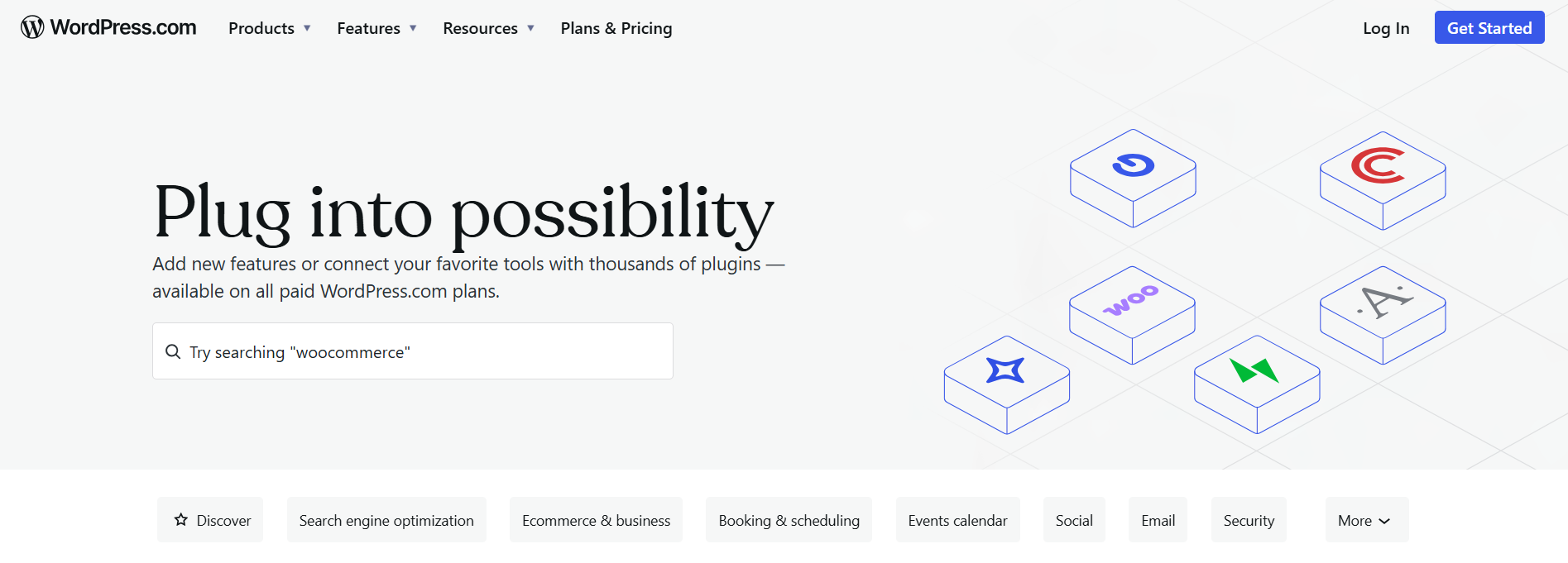
WordPress: 60,000+ free plugins on WordPress.org plus thousands of premium plugins. Every conceivable feature exists as a plugin. Largest CMS ecosystem in history.
Webflow: 100+ native integrations plus 8,000+ apps via Zapier. Smaller native ecosystem but mature integration partners. Curated quality vs WordPress breadth.
WINNER: WORDPRESS
10. AI Integration in 2026
WordPress: AI layered via plugins. 10Web, AI Engine, Yoast AI, ChatGPT integrations. Functional but feels added on rather than native. Plugin compatibility complicates the AI workflow.
Webflow: Webflow AI native for sections and copy. Claude AI connector and MCP Server launched February 2026 for AI powered site management, bulk CMS updates, automated SEO audits. Faster AI integration trajectory.
WINNER: WEBFLOW
WordPress wins on market share, content, SEO depth, eCommerce, and plugin breadth. Webflow wins on design control, hosting, maintenance, marketing team independence, and AI integration. The right choice depends on your team and what you are building.
Full Snapshot, WordPress vs Webflow in 2026
TABLE 1, Complete Side by Side Comparison
Sources: W3Techs March 2026, Webflow January 2026 CMS update announcement, WordPress.org statistics, WooCommerce data, Discovered Labs 2026 CMS for SEO analysis, DigiHotshot Webflow Premium Partner data, Hubstic March 2026 TCO analysis.
Cost and Total Cost of Ownership
WordPress cost profile
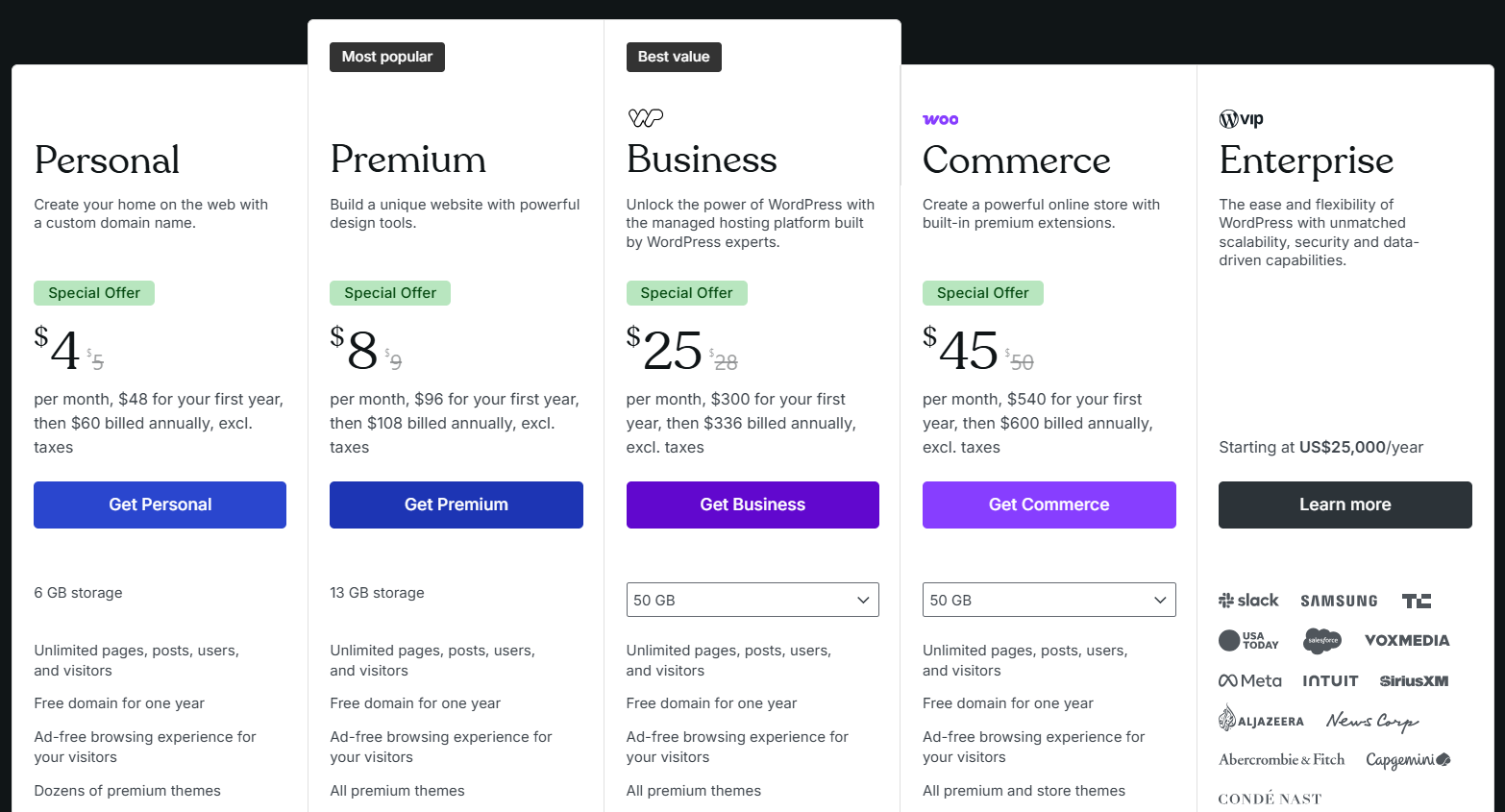
WordPress total cost of ownership over 36 months is predictable when planned well. Hosting ranges from 5 dollars per month (shared hosting on Bluehost or SiteGround) to 50 dollars per month (managed WP hosts like Kinsta or WP Engine). Premium plugins and themes add one time or annual fees. For agency builds, expect 3,000 to 15,000 dollars for initial development. Maintenance and ongoing security work typically requires 2 to 4 hours per month or a small retainer (200 to 500 dollars per month for active sites). The hidden cost shows up when plugin conflicts after WordPress updates require developer time at inconvenient moments.
Webflow cost profile
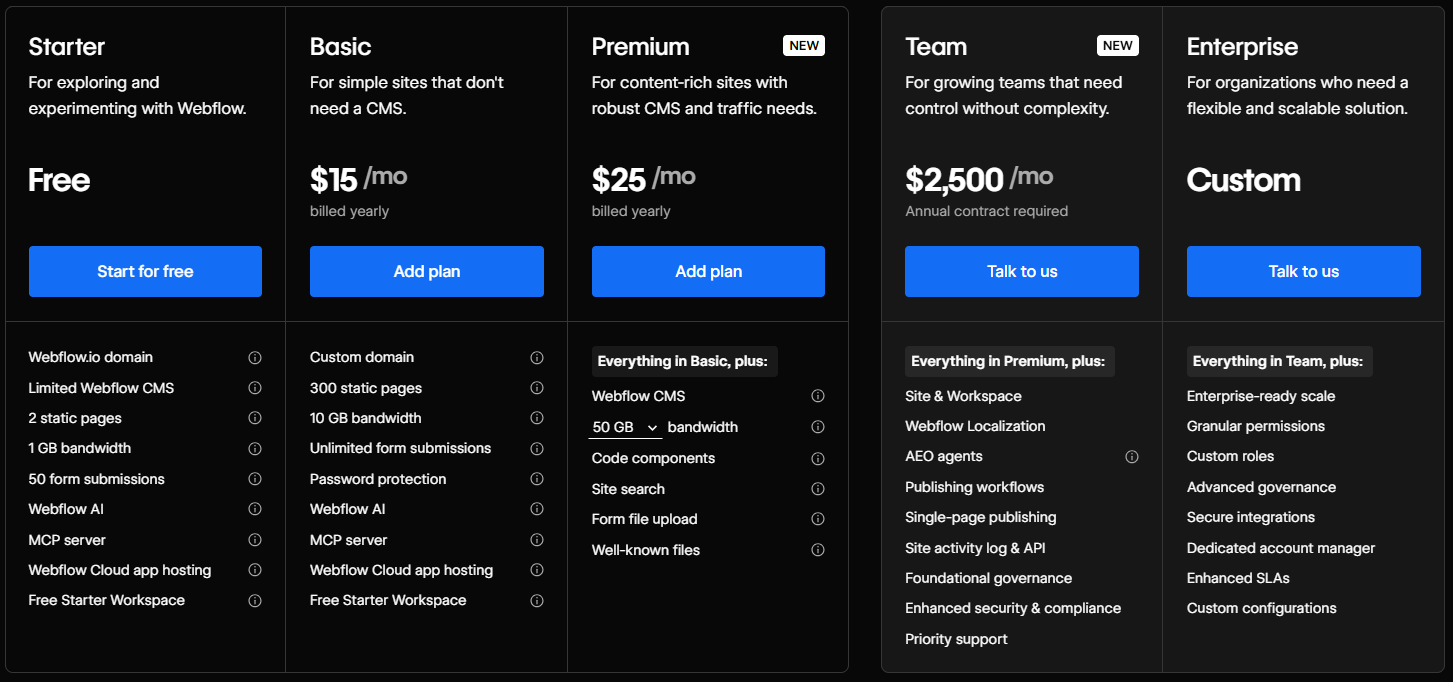
Webflow pricing is flat and predictable. Basic plan starts at 14 dollars per month (annual billing), CMS at 23 dollars per month, Business at 39 dollars per month. Ecommerce plans range from 29 to 235 dollars per month based on transaction volume. Webflow includes hosting, SSL, CDN, and security updates, so there are no separate infrastructure costs. Multi editor sites pay per editor seat. For agency builds, Webflow projects typically cost 3,000 to 15,000 dollars for initial development, similar to WordPress. Where Webflow differs is ongoing maintenance: less developer time required, which translates to lower retainer costs and faster marketing team independence.
The hidden cost factor: marketing team velocity
WordPress requires marketing teams to coordinate with developers for many changes (new templates, layout updates, plugin issues). This creates ticket backlogs and slows campaign launches. Webflow shifts the cost equation by letting marketing teams ship updates directly through the visual editor. The result is faster campaign velocity, fewer developer tickets, and less friction between marketing and engineering. For B2B SaaS startups where marketing velocity drives growth, this hidden cost factor often makes Webflow the better economic choice despite higher base subscription fees.
The Startup Decision Matrix, Which Platform for Your Profile
The 12 row table below maps common business profiles to the recommended platform. Find the row that best matches your situation.
TABLE 2, Match Your Business Profile to WordPress or Webflow
Recommendations based on May 2026 production workflow data, agency case studies, real migration projects from WordPress to Webflow and vice versa, and verified use cases across startup and enterprise scenarios.
Supporting Libraries and Third Party Integrations
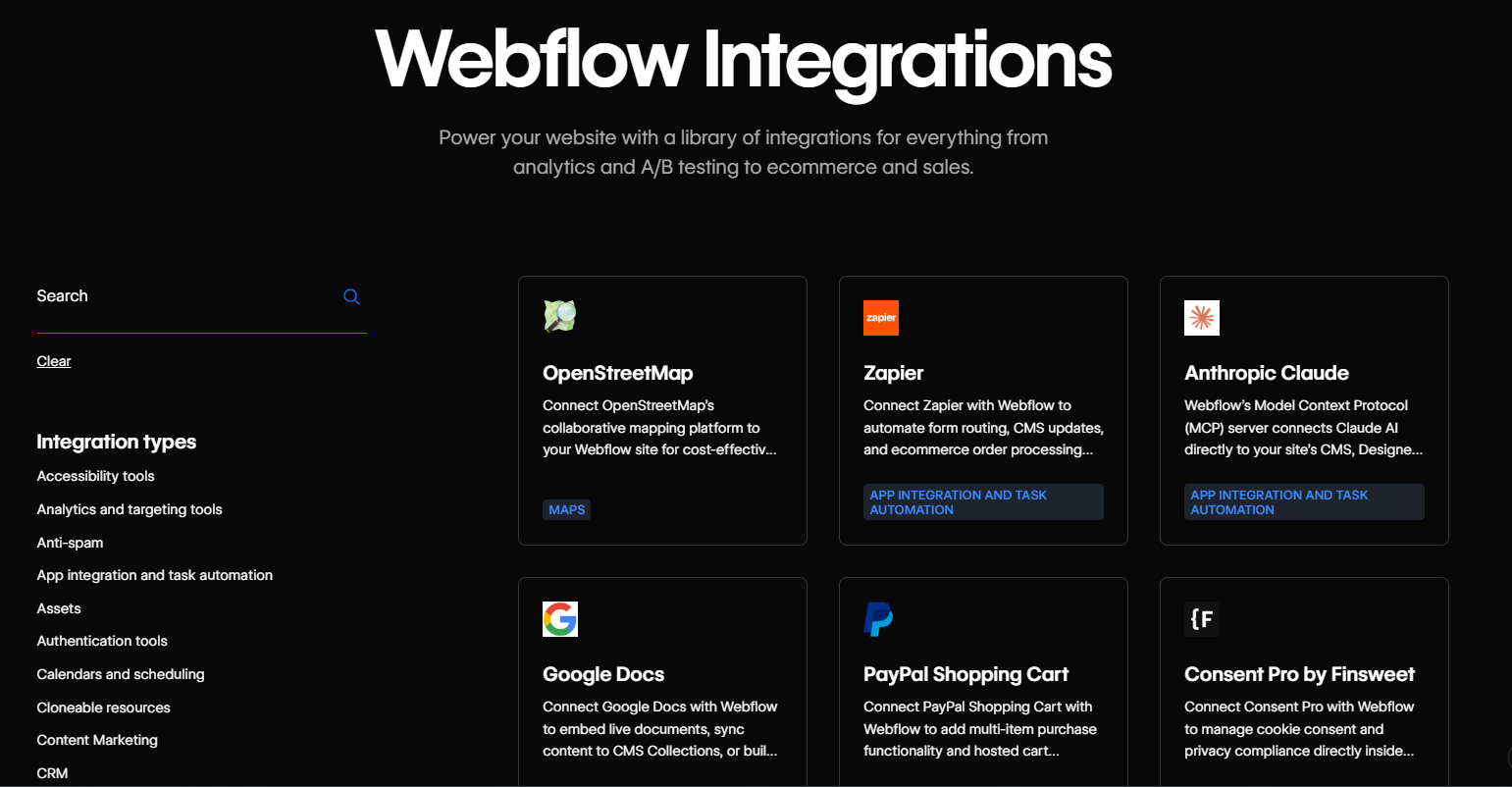
The platform itself is only half the picture. The plugins, integrations, and supporting libraries you can plug in determine how fast you ship and how much custom code you avoid writing. Both platforms have integration strengths in 2026, but the strengths sit in dramatically different places.
The table below covers third party services most businesses end up integrating. Cloudinary for media management, SEO tools, eCommerce, forms, email marketing, analytics, security, AI capabilities. Where one platform has a meaningfully stronger story it shows up here.
TABLE 3, Library and Integration Support, WordPress vs Webflow
Sources: Cloudinary official docs (WordPress plugin and JavaScript SDK), Webflow integrations directory, WordPress.org plugin directory, Zapier and Make.com integration counts, WooCommerce documentation.
Where WordPress ecosystem wins
- Sheer breadth: 60,000+ free plugins on WordPress.org plus thousands of premium plugins. Every conceivable feature exists as a plugin you can install and activate in seconds. No other CMS comes close.
- Content tooling: Yoast SEO, Rank Math, SEOPress, custom post types, taxonomies, editorial calendars, multi author workflows. The CMS infrastructure is unmatched for content driven businesses.
- eCommerce maturity: WooCommerce ecosystem includes payments, inventory, shipping, tax, subscriptions, memberships. The dominant platform for online stores under 10M dollars in revenue.
- Page builders: Elementor, Divi, Beaver Builder, Gutenberg blocks. Drag and drop visual building that requires no code, with deeper plugin integration than Webflow can match.
- Mature Cloudinary integration: Official Cloudinary WordPress plugin handles upload, optimization, responsive images, and video transcoding automatically. Best in class media management integration.
- Multilingual support: WPML, Polylang, TranslatePress are mature multilingual solutions used by international brands. Webflow Localization is good but plugin depth on WordPress is unmatched.
Where Webflow ecosystem wins
- Mature CMS scale: Webflow CMS scaled to 1 million items per project in January 2026. Multi reference fields, dynamic templates, conditional visibility all configured visually without code.
- Animation depth: Timeline animations, scroll triggers, micro interactions, all configured visually. Webflow Interactions is the gold standard for no code animations and brand expression.
- Built in CDN and SSL: Webflow hosting on AWS CloudFront with 275+ edge locations. SSL, security updates, image optimization, lazy loading all built in. No hosting decisions or plugin maintenance required.
- Native integrations: Mailchimp, HubSpot, Memberstack, Outseta, Stripe all integrate natively with Webflow. Less plumbing required for common business needs.
- Claude AI integration (Feb 2026): Official Claude AI connector and MCP Server enable AI powered site management, bulk CMS updates, automated SEO audits. The most AI native CMS workflow in 2026.
- Marketing team velocity: Marketing teams ship updates directly through the visual editor without developer dependency. Faster campaign launches, lower coordination cost between marketing and engineering.
Real example, Cloudinary integration

Cloudinary is a useful test case because almost every consumer facing site needs digital asset management. Both platforms have integration paths but the experiences differ significantly:
- WordPress: Official Cloudinary WordPress plugin. Install, authenticate with your Cloudinary account, and the existing media library automatically syncs to Cloudinary's CDN. Responsive images, automatic format optimization (WebP, AVIF), video transcoding, and lazy loading all work without configuration. The plugin is mature, well documented, used at scale, and free. Best in class integration experience.
- Webflow: No official Cloudinary plugin or app. Two integration paths exist. First, Webflow's built in asset manager handles most media optimization natively (responsive images, lazy loading, format conversion via AWS CloudFront). Second, custom code embed using Cloudinary's JavaScript SDK and URL transformations for advanced features like video transcoding or AI based image analysis. Less plug and play than WordPress but built in CDN covers most needs.
For content sites with heavy media optimization needs, WordPress with the Cloudinary plugin is dramatically faster to set up. For Webflow sites the built in asset manager handles 80 percent of Cloudinary use cases natively, with custom code embed available for advanced workflows.
Security Track Record, What Founders Need to Know
Security is the section most platform comparison articles skip. Both WordPress and Webflow have real security considerations that founders need to understand before committing to a platform for production.
TABLE 4, Recent Security Incidents and Considerations
Sources: Wordfence threat intelligence reports, WordPress security advisories, Webflow security documentation, NIST National Vulnerability Database.
What this means for WordPress projects
WordPress core is generally well secured and patched quickly by the WordPress Security Team. The real risk is the plugin ecosystem:
Plugin vulnerabilities: Wordfence reports thousands of plugin vulnerabilities annually. The 2024 LiteSpeed Cache vulnerability affected 6 million plus sites. The 2025 WP Automatic RCE allowed full site takeover. Plugins are the #1 attack vector for WordPress.
Brute force attacks: WordPress is the most attacked CMS in the world by volume because of its 43.5 percent market share. Standard mitigations (2FA, Wordfence, limit login attempts, strong passwords) handle 99 percent of attempts.
Theme and plugin abandonment: Plugins and themes can be abandoned by developers, becoming unpatched attack vectors. Mitigation: prefer actively maintained, popular plugins and remove unused ones.
Mitigation strategy: install only essential plugins from reputable developers, use Wordfence or Sucuri for monitoring, enable 2FA, keep WordPress core and plugins updated weekly, use managed WordPress hosting (Kinsta, WP Engine, SiteGround) for built in security.
What this means for Webflow projects
Webflow has a meaningfully smaller security incident history than WordPress, largely because of its managed SaaS architecture:
Account takeover risk: Standard SaaS attack vectors apply (credential stuffing, phishing). Webflow has 2FA and SSO available. Mitigation: enforce 2FA across all Webflow accounts, use SSO for team plans.
Webflow CDN dependency: Webflow hosts on Fastly. Fastly outages affect all Webflow sites. Historically rare but real platform risk. Mitigation: ensure you have an HTML CSS export backup if your site is business critical.
Custom code injection risks: Both platforms allow custom HTML and JS embeds. Misconfigured embeds can introduce XSS or data leakage. Mitigation: audit third party scripts carefully, use Content Security Policy headers where supported.
Platform consolidation risk: Webflow as a managed platform reduces but does not eliminate vendor lock in. HTML CSS export is available on paid plans but migration to a different stack still requires significant work.
Mitigation strategy: enable 2FA across all accounts, maintain regular site backups, document custom integrations carefully, use Webflow's SSO for team plans, plan for incident response if Fastly experiences outages.
Ecosystem Maturity and Risk Map for Founders
Beyond the platform itself, every choice carries ecosystem level risk. The list below covers the practical concerns founders should weigh, the things that rarely show up in platform comparison articles but cause real pain in production.
WordPress ecosystem risks
Plugin compatibility hell: Major WordPress updates can break plugins. Plugin conflicts cause site outages. Mitigation: staging environments, careful update cycles, choose well maintained plugins.
Performance dependency on hosting: WordPress performance varies enormously by hosting provider. Cheap shared hosting kills site speed. Mitigation: invest in managed WordPress hosting or quality VPS with caching.
Plugin and theme bloat: Sites with 30+ plugins suffer performance and security issues. Mitigation: discipline in plugin selection, regular audits to remove unused plugins.
Marketing team developer dependency: Many changes require developer help. Mitigation: invest in user friendly page builders (Elementor, Divi) or train marketing team on Gutenberg blocks.
Webflow ecosystem risks
Per editor pricing: Multi editor sites pay per seat. Teams of 5+ content editors face significant ongoing costs. Mitigation: consolidate editing responsibilities or evaluate alternative CMS for very large teams.
CMS item limits: Webflow CMS Business plan caps at 10,000 items. Enterprise plan extends to 1 million. Large content sites can outgrow standard plans. Mitigation: evaluate item limits against 3 year content growth projections.
Visual development learning curve: 20 to 40 hours to become productive. Steeper than typical website builders. Mitigation: invest in training, hire Webflow specialists, or use templates for fast starts.
Backend functionality requires integrations: User accounts, payments beyond Ecommerce, and dynamic logic require Memberstack, Outseta, or Logic. Mitigation: factor integration costs into total cost.
Shared risks for both
Vendor lock in: Both platforms have varying degrees of lock in. WordPress is open source and self hostable. Webflow provides HTML CSS export on paid plans. WordPress is more portable but neither is friction free.
Backup discipline: Both platforms require regular backups. WordPress: UpdraftPlus or similar plugin. Webflow: platform backups and HTML CSS exports. Without backups, recovery from incidents is significantly harder.
Performance optimization: Both can be fast or slow depending on implementation. Test on your target audience devices and networks. Optimize images, caching, and JavaScript bundles regardless of platform.
Long term maintenance cost: Both platforms require ongoing engineering or design work as the web, dependencies, and your business evolve. Budget 15 to 20 percent of build cost annually for maintenance.
What Real Builders Say in 2026
Common WordPress praise
Plugin ecosystem (everything you need exists as a plugin). SEO depth (Yoast and Rank Math are unmatched). Content workflows (multi author editing, scheduled posts, revisions). eCommerce maturity (WooCommerce just works). Long term viability (sites built in 2010 still run today). Agency tooling (decades of mature client handoff workflows). Cost flexibility (free self hosted to enterprise managed).
Common WordPress complaints
Plugin compatibility issues during updates. Performance varies wildly by hosting. Security requires constant vigilance. Gutenberg editor learning curve. Site becomes slow with too many plugins. Theme customization requires PHP knowledge. Marketing teams depend on developers for layout changes.
Common Webflow praise
Pixel perfect design control matches Figma comps exactly. Animation depth is industry leading. Mature CMS handles content workflows beautifully. Marketing teams ship updates without developer dependency. Built in hosting, SSL, CDN reduces operational overhead. Used by Dropbox, Discord, Vice, Lattice. Claude AI integration (Feb 2026) is impressive.
Common Webflow complaints
Steep learning curve, 20 to 40 hours to become productive. Per editor pricing scales painfully for large teams. CMS item limits force migration on large content sites. Webflow Ecommerce is good but not the strongest option for high volume stores. Less mature plugin ecosystem than WordPress. Smaller community.
Future Trajectory, Where Each Platform Is Heading
WordPress, deepening the open source moat
WordPress strategy in 2026 centers on three pillars. First, Gutenberg evolution toward Full Site Editing (FSE) making more of the site editable through blocks rather than PHP templates. Second, headless WordPress growth as developers use WordPress as a backend CMS with React, Next.js, or Vue frontends via REST API or WPGraphQL. Third, AI integration via plugins like 10Web, AI Engine, and ChatGPT integrations for content generation and site building assistance. WordPress is doubling down on what it is best at (content management at any scale) while expanding to serve modern frontend stacks.
Webflow, racing toward AI native website management
Webflow strategy in 2026 centers on three pillars. First, AI native workflows via the February 2026 Claude AI connector and MCP Server, enabling bulk CMS updates, automated SEO audits, and conversational site management. Second, enterprise feature depth (governance, audit logs, advanced permissions, accessibility tooling). Third, deeper CMS and Ecommerce capabilities, with the January 2026 increase to 1 million CMS items per project as a clear signal of scale ambitions. The 4 billion dollar valuation and 13 years of platform maturity provide significant runway for this strategy.
Frequently Asked Questions
Q1: Which is better in 2026, WordPress or Webflow?
Neither is universally better. WordPress wins for content driven sites, eCommerce, blogs, complex multi author publishing, and any project where the 60,000+ plugin ecosystem is needed. Webflow wins for marketing sites, designer led brand sites, agencies, marketing teams who want independence from developers, and projects where pixel perfect design quality matters. For most B2B SaaS startups in 2026, the marketing site is Webflow and the blog or content hub could be either. The decision depends on your team composition, content velocity, and design requirements.
Q2: Can I migrate from WordPress to Webflow or vice versa?
Migration is possible in both directions and is actively done by agencies. WordPress to Webflow migrations typically take 6 to 10 weeks for standard marketing sites and require rebuilding the design layer in Webflow, content migration, and proper 301 redirect planning to preserve SEO. Webflow to WordPress migrations require theme development to match the Webflow design and plugin selection for content features. Both directions are expensive enough that the right strategy is to choose the platform that fits your specific project at the start, not to assume migration is cheap later.
Q3: How does the cost actually compare?
For small content sites and blogs, WordPress is typically cheaper over 3 years. Hosting at 5 to 50 dollars per month plus occasional plugin costs lands at 500 to 5,000 dollars total. Webflow Basic at 14 dollars per month is cheaper than mid range WordPress managed hosting, and Business at 39 dollars per month covers most B2B sites with predictable pricing. Webflow includes hosting, SSL, CDN, and security updates, so there are no separate infrastructure costs. For agency builds, both platforms typically cost 3,000 to 15,000 dollars for initial development. The ongoing cost difference depends on maintenance burden, where Webflow is meaningfully lower.
Q4: Which is better for SEO?
WordPress has a slight edge for technical SEO depth, but Webflow covers what 80 percent of B2B sites need. WordPress provides 20+ schema types via Yoast and Rank Math, plus the most flexible plugin ecosystem for advanced SEO scenarios. Webflow provides built in custom meta tags, schema markup, sitemaps, OG tags, alt text fields, 301 redirects, and clean semantic HTML output. Both platforms rank well when configured correctly. For B2B SaaS marketing sites, the difference is marginal. For content sites with 1,000+ articles, WordPress's plugin depth provides more SEO control. The decision is rarely SEO alone.
Q5: What does ZeeFrames recommend for a 2026 startup project?
ZeeFrames recommends WordPress for content driven sites, eCommerce stores, blogs, and any project that needs the 60,000+ plugin ecosystem or expects 5+ years of operation. ZeeFrames recommends Webflow for marketing sites, brand sites, agency client deliverables, and any project where designer quality and marketing team independence matter most. For B2B SaaS startups, the common pattern is Webflow for the marketing site (because marketing velocity drives growth) and a custom React app built with Lovable plus Cursor for the actual product. ZeeFrames 100 plus engineers have hands on experience with both stacks. Every engagement starts with a free 30 minute discovery call where we recommend the right approach for your specific situation.
Related Insights





Your next great product decision starts with one conversation.
If your product isn't where you want it to be, 30 minutes with us might tell you why. And more often than not, we're exactly the team to fix it.
Book a Free Discovery Call